FIELD NOTE / 08
Keep, crop or regenerate? Review an AI image
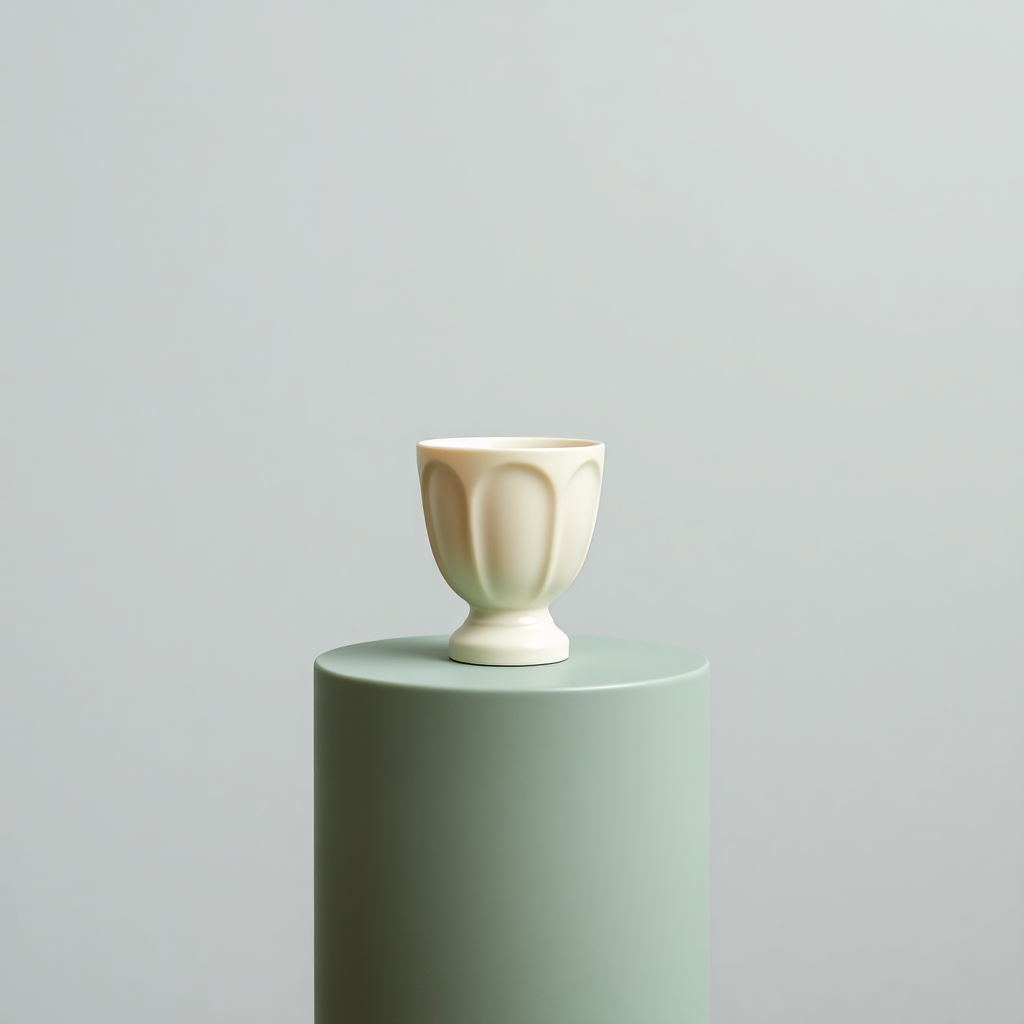
Use the saved cup to distinguish a framing problem from a missing subject detail.
Start with acceptance criteria
For a ceramic concept article our criteria are one coherent vessel, no lettering, soft lighting and enough background to separate the object from the page title. The saved result satisfies the visible subject and lettering checks. A real product listing would need different criteria: correct handle, dimensions, finish and supplied evidence. A pleasing image cannot establish those facts. Write the intended use beside the prompt so that visual appeal does not silently replace accuracy.
Three findings in this actual file
First, there is no visible handle. That is acceptable for this concept but fails a handled-mug brief. Second, the pedestal extends beyond the bottom edge. A larger canvas can add margins but cannot recover the missing base. Third, the broad background leaves compositional flexibility, though a centered landscape crop reduces vertical breathing room. These are file-specific findings. A later revision attempt is now documented in the handle-revision guide: it added a handle but still cropped the pedestal.
Use the least destructive remedy
If only the publication dimensions are wrong, resize or fit the original. If an unwanted object lies outside the necessary subject, a crop may remove it; check that the crop does not cut the subject too. If an essential part is missing, return to generation or a suitable image editor. For this cup, a proposed next prompt adds “one visible handle on the right, entire pedestal visible inside the frame”. Test that change before adding more style instructions; record whether both requirements improved and whether a new defect appeared.
Keep a decision trail
Save the original, prompt, model if known, date, intended use and a short verdict for each criterion. Mark unknown seeds as unknown. Store exports separately so that a compressed derivative never replaces the source. The downloadable worksheet below can be filled in without an account. It is a blank editorial aid, not a certification. If the image still misrepresents the article’s subject, publish a simpler illustration or omit the image rather than disguising the mismatch.
A revised prompt adds a handle, but not a complete pedestal →
Your publishing checklist
Selections stay on this page only. Download the blank worksheet to keep your decisions.
Download the publishing worksheet (.txt) ↓Try this workflow
Use our saved 1024 × 1024 AI sample. No generation credit or file upload needed.
Open image tools ↗From idea to a published blog image
A practical path for blog authors and small website owners. Work with the saved sample, inspect the evidence, then apply the method to your own article.