FIELD NOTE / 11
A revised prompt adds a handle, but not a complete pedestal
A real before-and-after attempt with a partial improvement and an unresolved failure.
Keep the goal explicit
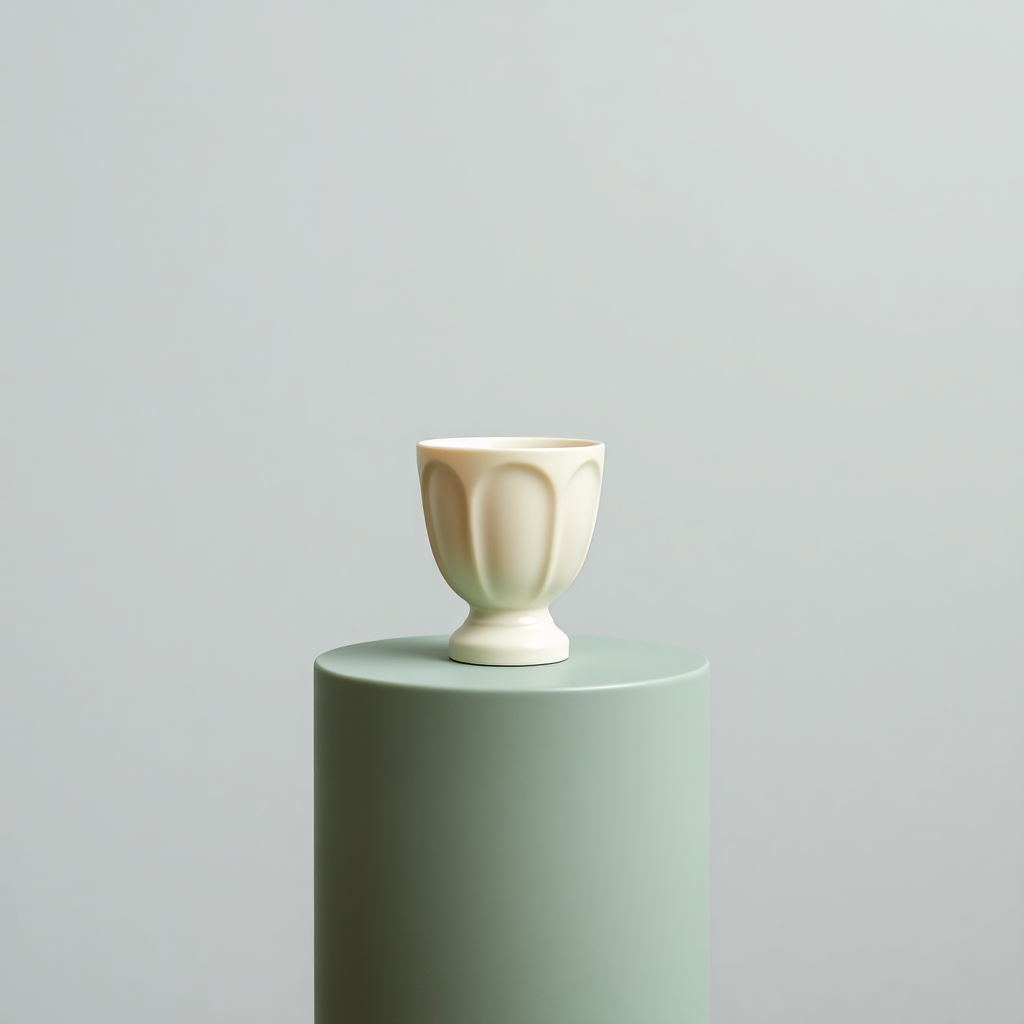
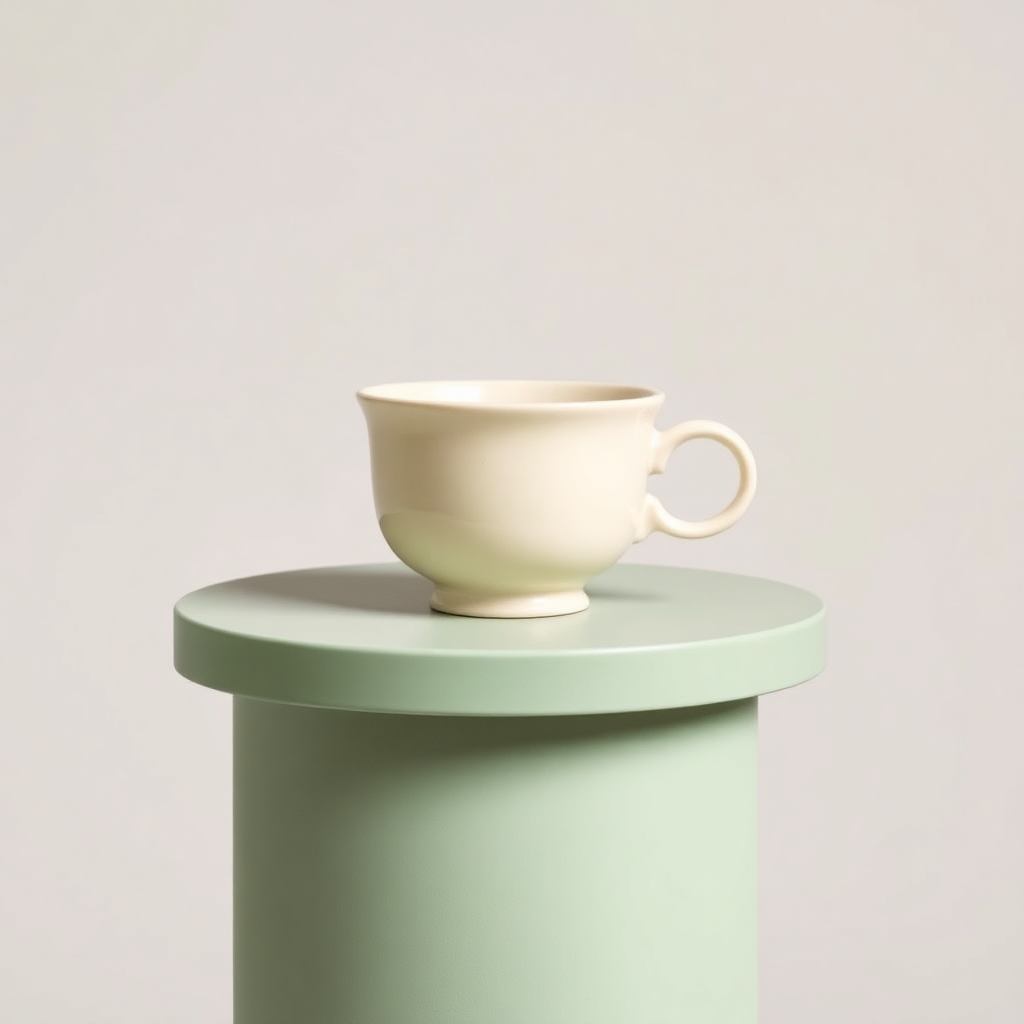
The earlier square cup image had no handle and cut off the pedestal base. We kept its original user prompt and appended “one visible handle on the right, entire pedestal visible inside the frame”. We used the same model, photography style and square ratio on October 17. The old run did not record a seed, so this is a practical revision attempt, not a controlled same-seed experiment.
Inspect both requirements separately
The new file has a clearly visible handle on the right. However, the green pedestal still extends beyond the bottom edge. Its form also changed: the new stand has a wide top and narrower stem, while the earlier vessel’s fluting disappeared. One corrected attribute does not mean the whole brief passed. We accept the visible handle requirement and reject the complete-pedestal requirement.
Decide what to do next
For an article about specifying handles, the pair is useful evidence of a partial improvement. For a design requiring a whole pedestal, neither image is ready. Another proposed experiment would specify a small tabletop riser, a wide shot and visible space below its base, or remove the pedestal from the brief. We have not run that experiment. Do not stretch the image or add blank margins and describe the missing structure as recovered.
Download original PNG ↓ · Generation record (JSON) ↓
Try this workflow
Use our saved 1024 × 1024 AI sample. No generation credit or file upload needed.
Open image tools ↗From idea to a published blog image
A practical path for blog authors and small website owners. Work with the saved sample, inspect the evidence, then apply the method to your own article.